Files that always change together: the coupling your coding agent can't see
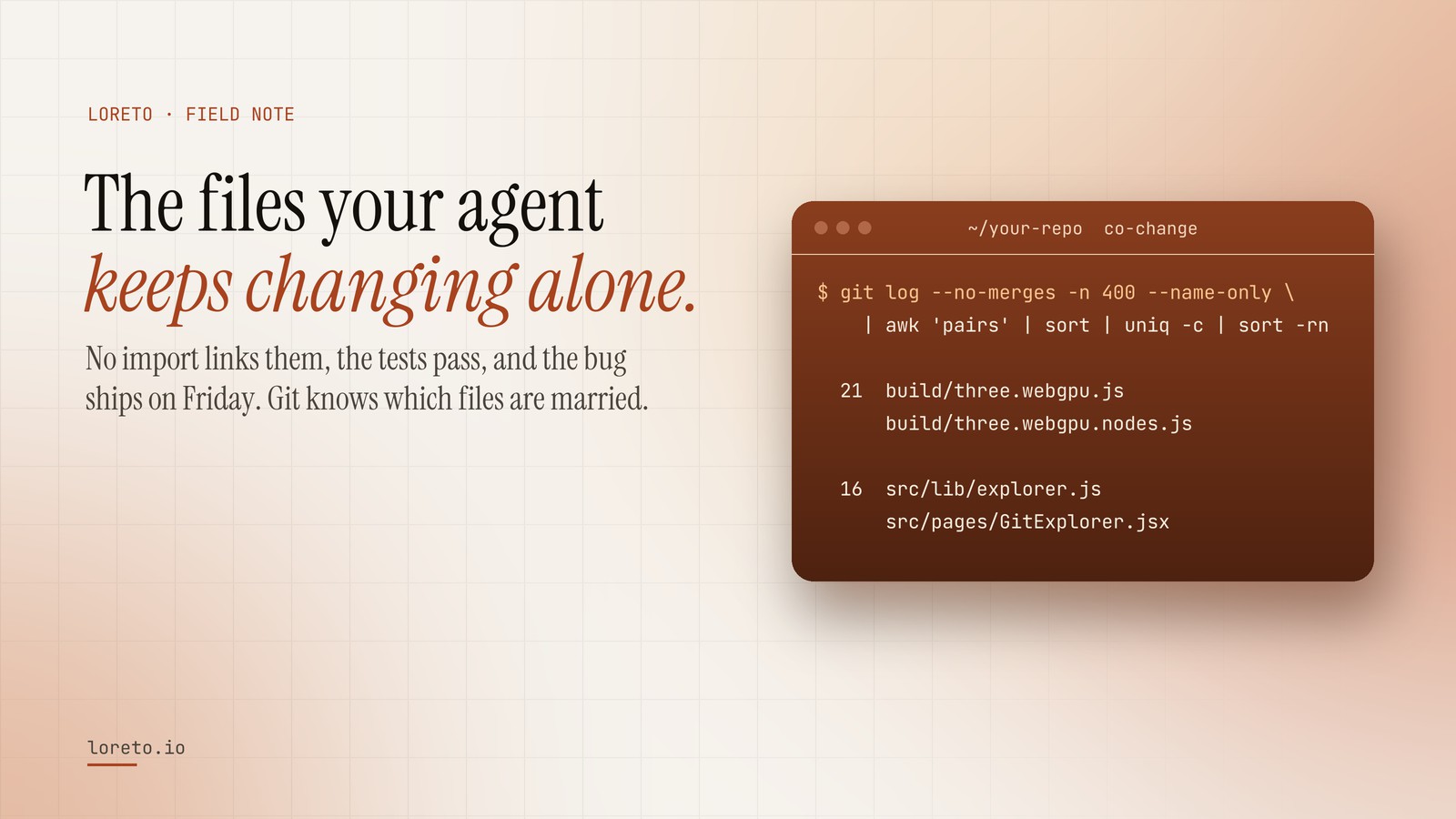
No import links them, the tests pass, and the bug ships on Friday. Git knows which files are married.
Logical (or change) coupling is when files keep changing in the same commits even though nothing in the code links them: a route and its schema, two build outputs, a flag and its readers. Count co-changing pairs in the git history to find them, then write the strongest pairs as rules so a coding agent changes both, not one.
Every codebase has pairs of files that are married without a single import between them. Change the API route and you have to change the schema. Touch the payment adapter and the retry config has to move too. Nothing in the code says so. The compiler is happy, the tests pass, and the bug ships on Friday.
Engineers who have been on a team for a year carry these pairs around in their heads. Reviewers catch them because they have been burned before. A coding agent has never been burned, so it changes one file of the pair, writes a confident summary, and opens the pull request.
What logical coupling is
Static analysis looks at structure: which file imports which. That finds the dependencies someone wrote down. Logical coupling, sometimes called change coupling, looks at behaviour instead: which files change in the same commit, over and over, whether or not they reference each other. Adam Tornhill made the idea popular in Your Code as a Crime Scene, and it remains one of the most useful things you can learn from version control, because it finds the dependencies nobody wrote down.
Typical culprits:
- A generated file and its source, or two build outputs produced by the same step.
- An API route and the schema, client type or documentation that describes it.
- A feature flag and the three places that read it.
- A migration and the model it migrates.
- A translation key and every locale file.
Find your married files in one command
This reads the last 400 commits that are not merges, skips enormous commits (a sweeping rename couples everything to everything), counts every pair of files that changed together, and prints the most frequent:
git log --no-merges -n 400 --format='> %h' --name-only | awk '
  function flush(  i, j) {
    if (n >= 2 && n <= 25)
      for (i = 0; i < n; i++) for (j = i + 1; j < n; j++)
        print (f[i] < f[j] ? f[i] "  " f[j] : f[j] "  " f[i])
    n = 0
  }
  /^> / { flush(); next }
  NF    { f[n++] = $0 }
  END   { flush() }' | sort | uniq -c | sort -rn | head -15
On the public three.js repository, the top of that list is build/three.webgpu.js and build/three.webgpu.nodes.js, which changed together 21 times in the last 400 commits. Two build outputs, produced by the same step. A change that touches one without the other is a change the history says almost never happens.
How to read the list
Not every pair is a problem. Sort them into three piles:
- Expected and harmless. A component and its test file. A source file and its generated output. These are fine, and they are exactly what your agent needs to know: "when you change X, regenerate Y".
- Expected but undocumented. The route and the schema. The flag and its readers. Write these down as rules, because they are what reviewers keep catching by hand.
- Surprising. Two files in unrelated parts of the tree that keep moving together. That is often hidden shared state, a copy-pasted constant, or a boundary in the wrong place, and it is worth a refactoring ticket.
Ratios matter more than raw counts. A pair that changed together 21 times is strong evidence if each file changed 25 times in total, and weak evidence if each changed 300 times. Divide the pair count by the smaller file's own count to get a coupling strength; anything above a half is a real habit.
Turning coupling into a rule an agent will follow
An instruction like "be careful with the build files" changes nothing. One that names the files, the count and the action does:
build/three.webgpu.js and build/three.webgpu.nodes.js changed together in 21 of the last 400 commits. Both are produced by the build, so they move as a pair: regenerate them with the build rather than editing either by hand, and check that a change to one is a change to both.
Put the handful of strongest pairs in a reference file your agent's skill points to, and give your review agent the same list as a checklist: "this change touches A; the history says B usually moves with it; B is not in this diff". That one check catches a whole class of bug that tests, linters and type checkers are structurally unable to see.
See your own pairs
Run the command above on your repository. If you want it done for you, ranked, with the build outputs separated from the real couplings and written as rules your coding agent loads, paste the repository into Loreto. Reading it is free; the harness, with a coupling.md and a reviewer that checks for exactly this, is $5.
Frequently asked questions
Isn't this what static analysis is for?
Why skip commits that touch more than 25 files?
How strong does a coupling have to be to matter?
See which of your files are married
Paste a repository and Loreto ranks the files that change together, written as rules your agent and reviewer check.