CLAUDE.md, AGENTS.md, .cursor/rules: where each coding agent reads its instructions, and why it ignores them
Your agent is not ignoring you. It is reading the wrong file, or the right file is too long, or the rule has no reason.
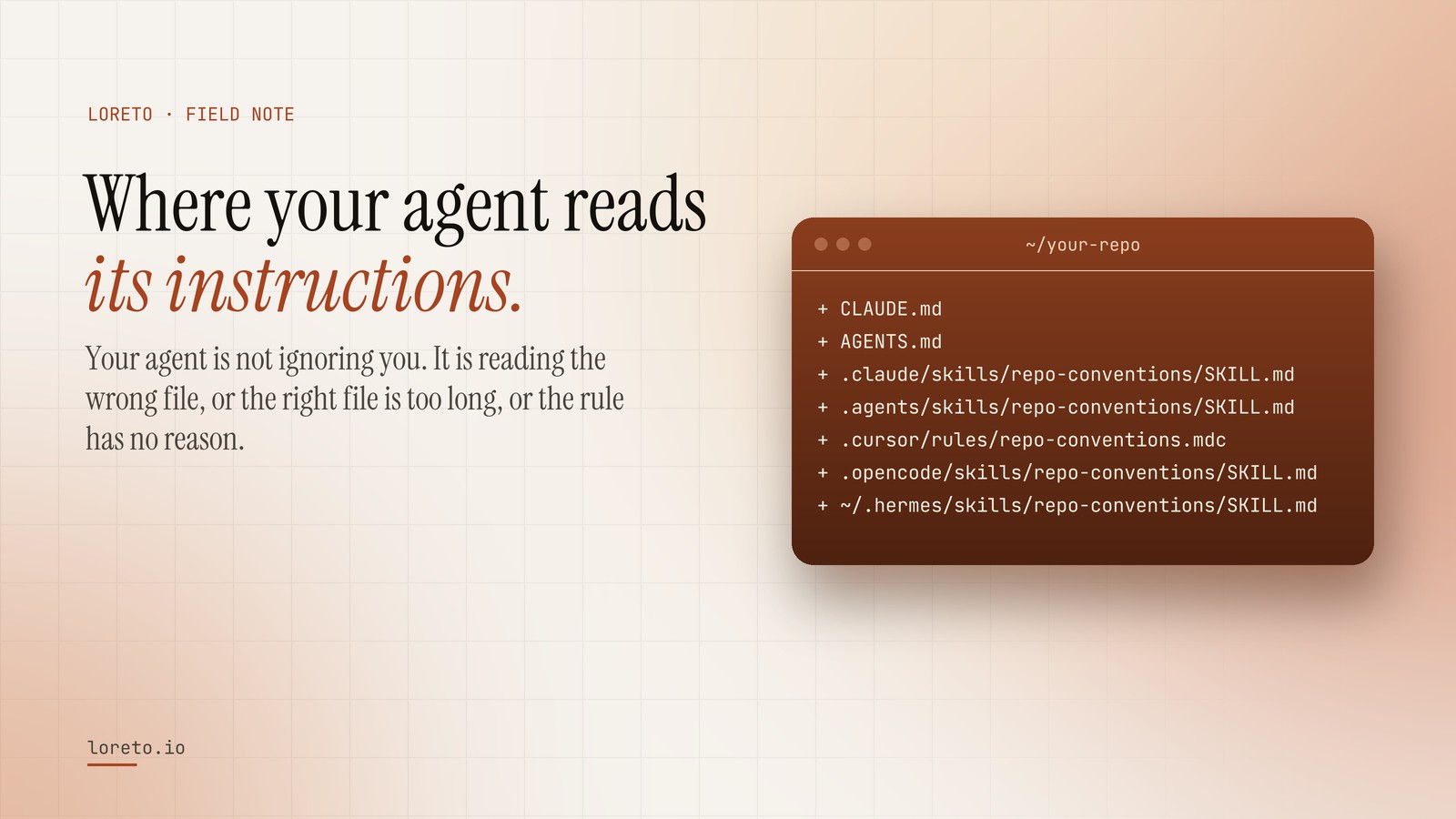
Coding agents read two layers: a root file at the start of every session (CLAUDE.md for Claude Code, AGENTS.md for most others) and on-demand instructions such as skills or Cursor rules, loaded when their description matches the task. Rules get ignored when the root file is too long, a rule has no reason, or it contradicts the code; keep…
You wrote a careful CLAUDE.md. Forty lines of hard-won rules. The agent read it, said it understood, and then did the exact thing line twelve told it not to do.
Usually the agent is not ignoring you. One of three things happened: the file was in a place it does not read, the rule was buried in a document too long to hold its attention, or the rule had no reason attached and lost to a stronger pattern in the code it was looking at. All three are fixable, and the fix starts with knowing where each agent actually looks.
Where each coding agent reads its instructions
| Agent | Root file | On-demand instructions |
|---|---|---|
| Claude Code | CLAUDE.md in the repository (plus ~/.claude/CLAUDE.md for your personal rules) | Skills in .claude/skills/<name>/SKILL.md; subagents in .claude/agents/ |
| Codex | AGENTS.md | Skills in .agents/skills/<name>/SKILL.md |
| Muse Code | AGENTS.md (it also reads CLAUDE.md), walking up to the repository root | Skills in .agents/skills/ |
| OpenCode | AGENTS.md | Skills in .opencode/skills/; agents in .opencode/agents/ |
| Cursor | AGENTS.md | Rules in .cursor/rules/*.mdc, each with a description, file globs, or "always apply" |
| Hermes | AGENTS.md | Skills in ~/.hermes/skills/ (your home directory, not the repository) |
The pattern across all of them is the same two layers. A root file is read at the start of every session. On-demand instructions (skills, rules, subagents) are only loaded when their one-line description matches what the agent is doing. Tools keep adding layers and changing paths, so treat the table as a starting point and check your agent's documentation when something seems not to load.
Why rules in the root file get ignored
It is too long
Everything in the root file competes for attention with everything else in the session: the task, the files open, the conversation so far. A 400-line root file is not "more instructions". It is the same instructions diluted. Keep it short: what the repository is, the five to eight rules that matter most, and a pointer to the skill that holds the rest.
The rule has no reason
"Keep pull requests small" loses to the agent's instinct to finish the job properly. "Half of the last 400 commits touched two files or fewer; a larger change should say why" survives, because it is specific and it carries its own justification. Agents, like people, are much better at following a rule when they can see why it exists.
The rule contradicts the code
If the root file says "every change has a test" and the agent is looking at a directory where nothing has a test, the code wins. Agents imitate what they see. Rules written from what the team actually does, rather than what it aspires to, do not have this problem, because the evidence and the instruction agree.
A layout that works
- Root file, under 60 lines. What this is, the rules that matter most, the commands to build and test, and "read the conventions skill before changing code".
- A conventions skill. How a change is made here: where code goes, how big a change is, how it is named, what gets tested. Its description says when to load it, in one line.
- References beside the skill. The evidence: hotspots, files that change together, lessons from past reverts. The skill names each one and when to read it, so they load only when needed.
- A reviewer. A subagent (or a second skill, depending on the agent) that checks a finished change against the same rules before you see it.
That layout keeps the always-on cost tiny and puts the detail where the agent will find it at the moment it matters.
Skip the writing
The hard part is not the layout. It is knowing which rules your team actually follows, with numbers you trust. Loreto reads them from your git history and writes exactly this layout for whichever agent you use, in the paths from the table above. Reading your repository and seeing every file it would write is free; the harness installs with one line and merges into your existing root file instead of replacing it.
Frequently asked questions
Can I use the same file for every agent?
How long should a root file be?
Why does a skill's description matter so much?
Get this layout written from your history
Paste a repository, pick your agent, and see every file Loreto would write, in the right paths, before you pay.